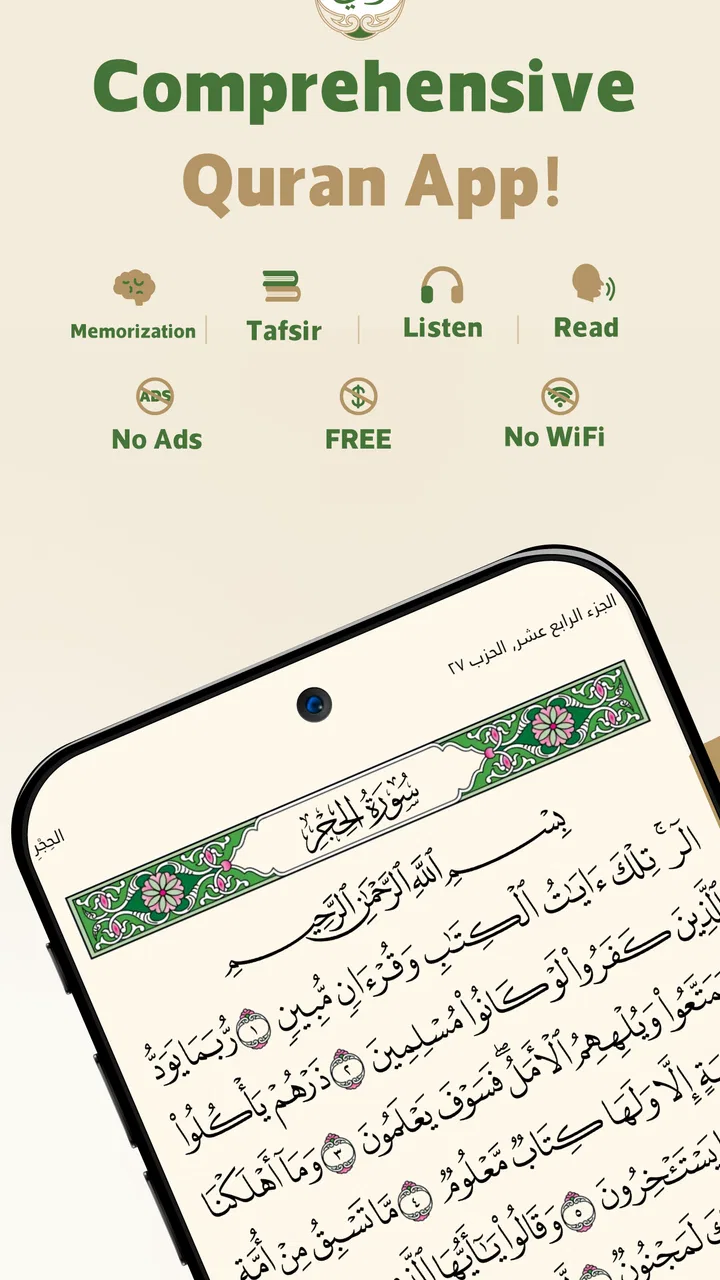
Wahy (Holy Quran)
- 4.9
- Rating
- 10.00M
- Installs
- Free
- Price

 Analysis by App-foxy
I spent time with Wahy (Holy Quran) as a reading and reference app, paying particular attention to how comfortably it works in different situations and for people with different needs. Its central idea is simple but valuable: instead of treating the Quran as text that you only read from beginning to end, it connects recitation, translation, and individual words in one study experience. That makes it useful for quiet reading, listening practice, language learning, and checking the meaning of a passage without constantly moving between separate apps.
Developed by مركز تفسير - Tafsir Center, Wahy is available free of charge and is suitable for Everyone. It belongs in the Books & Reference category, but I found it more practical than a basic digital book because the word-by-word approach gives each verse several possible entry points. You can approach a passage through its Arabic text, hear it recited, or slow down and examine how individual words relate to the translation.
The app has built a strong audience: it has passed ten million installs, with an average rating of 4.9 from roughly 179 thousand ratings and about two thousand written reviews. Those figures do not replace personal testing, but they do suggest that the focused design speaks to many Quran readers. After using it myself, I can see why. The experience is not overloaded with unrelated reading material, and its main tools stay close to the text.
You May Also Like

 Blood Strike: 2.5 Anniversary
Blood Strike’s Loadouts Turn Every Drop Into a Tactical Gamble
A close look at Blood Strike’s custom loadouts: how fast access to signature weapons reshapes its battle royale rhythm, rewards preparation, and narrows the gap between fights.

 Pandora - Music & Podcasts
Pandora’s Music Is Easy to Start, but Harder to Recover
Pandora’s strength is its low-effort path from a seed to a station. Its weak spot is how much confidence it asks you to place in connection, setup, and quiet recovery.

 8 Ball Pool
 Is Built on Rivalries, Rematches, and Routine
A close look at the rivalries, rematches, shared routines, and unanswered safety questions that turn a quick pool match into a persistent mobile community.

 Samsung Music
’s Quiet Strength Is Playing What You Already Own
Its reach comes less from spectacle than from dependable access to a personal library. That simplicity is both the app’s strongest retention engine and its ceiling.

 AccuWeather: Weather Radar
AccuWeather Review: A Quick, Clear Forecast for Everyday Decisions
For everyday plans, the best forecast is the one you can understand quickly. AccuWeather makes rain timing, radar, and local conditions easy to act on, with a few trade-offs.

 Hill Climb Racing
Why Hill Climb Racing Still Turns Crashes Into One More Run
A tiny car, a bumpy hill and one more upgrade: Hill Climb Racing keeps resurfacing because its simple chaos makes every near-miss feel personal.
More From Our News Desk



Reading clearly and finding your way around
I found that the most useful way to judge this section is to ask whether the screen helps me return to a passage without making me manage more detail than I need. A practical habit is to use the full verse as the anchor, then open word-level meanings only for terms that remain unclear; that keeps the translation in context and makes short reading breaks easier to resume. Next, I consider how the same focused approach holds up when listening or moving through the day.
A useful layout for more than one kind of reader
The strongest part of Wahy is the way it treats the Quran as something to study at different levels. A confident Arabic reader can use it as a clean reading space, while someone still learning can use the translation and word-by-word support to avoid losing the connection between the original wording and the broader meaning. I especially appreciated that this does not force every session into a formal study routine. Sometimes I wanted to read continuously; at other times I wanted to pause over one phrase. The app supports both habits without making the second feel like an entirely separate mode.
For a new user, the most sensible approach is to begin with a short passage rather than trying to explore every option immediately. Read the verse once, listen to the recitation, then tap through the words and compare the individual meanings with the complete translation. This sequence helps prevent a common misunderstanding: a word-by-word translation is a learning aid, not always a substitute for the full meaning of a sentence. Wahy is at its best when those layers are used together.
The interface also benefits readers who prefer a slower pace. Instead of scanning a long page and hoping to remember where a particular phrase appeared, I could focus on one verse and use the surrounding context when needed. That is a small design choice, but it matters when reading is interrupted or when concentration is limited. A person returning after a break can reorient themselves more easily than in a dense, undifferentiated block of text.
Navigation that supports focused study
Wahy feels most purposeful when I use it for a specific question. If I hear a verse during a lesson or conversation and want to examine it later, the app gives me a direct path from recitation to text to translation. That is more efficient than opening a general browser, searching for a passage, switching to a translation page, and then opening a separate audio player. The fewer transitions involved, the less likely I am to lose the original reason for opening the app.
There is also a useful distinction between reading for continuity and reading for detail. For continuity, I would keep the text moving and avoid opening every word. For detail, I would stop at a verse, listen carefully, and inspect the word-level translation. Mixing these two modes too often can make a session feel fragmented, so my practical advice is to decide what you want before starting: recitation practice, general reading, or close study.
That workflow is particularly helpful for learners who are building vocabulary. A person studying Arabic can listen first, make a guess from context, and then check the individual words. This encourages active attention rather than immediately relying on a complete translation. It is one of the app’s less obvious strengths because the same screen can serve both devotional reading and structured language practice.
Where readability may still depend on the user
Although the focused presentation works well for me, Quran apps are highly personal in matters such as script appearance, spacing, contrast, and preferred translation style. Wahy’s core value is the interaction between text, recitation, and translation, not the promise of fitting every reader’s visual preference. Someone who needs very large type, a particular script style, or extensive display customization should test the reading view carefully before making it their only Quran app.
Readers who are sensitive to dense screens may also prefer to use the app in short sessions. The word-by-word layer is informative, but it adds visual material around the main text. For ordinary reading I would leave that detail closed or use it selectively. For study, I would accept the extra density because it serves a clear purpose. This is an important trade-off: more information can improve understanding while making quick, effortless reading less calm.
Listening, movement, and access in everyday situations
For me, audio is most helpful when I decide on the passage before starting and avoid trying to operate the phone while walking, commuting, or doing anything that needs attention. That small distinction makes the app more comfortable to use: listening can fit around a routine, while word-by-word study works better when I can pause and look at the screen. The next question is whether those conveniences outweigh the particular limits a reader may encounter.
Why the audio and text combination matters
The recitation feature changes how I use Wahy compared with a conventional ebook or a translation-only reference. I can listen to a passage and follow along, then return to the words that were difficult to recognize. That is useful for pronunciation practice and for readers who understand spoken Arabic differently from written Arabic. It also gives the app a role during moments when reading is tiring but listening remains manageable.
For someone with limited hand movement, the main advantage is that the app reduces the number of separate controls and app changes needed to move between listening and reading. Still, I would not describe it as effortless for every motor profile. Studying word by word naturally involves tapping, pausing, and changing focus. A user who has difficulty with precise gestures may find extended analysis tiring, even if listening to a passage is comfortable.
My preferred low-effort routine is to choose the passage before settling down, start the recitation, and keep interaction to a minimum while listening. When I want to study, I switch to a short section and use deliberate pauses. This separates the physically simple part of the experience from the more interactive part, instead of requiring constant tapping throughout an entire session.
Audio as an alternative to continuous visual reading
Wahy is a good companion for people who cannot or do not want to read continuously. I used the listening side when my attention was divided, such as during a quiet household task. In that situation, the app was more practical than a printed Quran because I could keep the passage available without holding a book open. It is also useful during a commute when reading a screen would be unsafe or impractical; listening is the sensible choice there, while operating the app should wait until the user is stationary.
For people with visual fatigue, the combination of audio and occasional text checking can make a session less demanding. I would listen to a section, look at the translation only when a phrase needed clarification, and then return to audio. This is less tiring than forcing myself to read every line when my eyes are already strained. The app therefore works well as a flexible reference rather than a tool that insists on one form of engagement.
At the same time, listening does not automatically solve every sensory barrier. A person who relies on text because audio is difficult needs a comfortable reading experience, while someone who relies on audio may need a quiet enough environment to follow the recitation. The app provides multiple ways into the material, but the surrounding conditions still matter.
A realistic daily scenario
Imagine a reader preparing for a short study session after work. Their energy is low, so they begin by listening to a passage rather than opening a long commentary. When a verse catches their attention, they pause, read the complete translation, and inspect a few individual words. They do not need to search for the same passage elsewhere, and they can stop after one verse without feeling that the session was incomplete. That is exactly the kind of small, repeatable routine in which Wahy makes sense.
Another user might be learning to recognize Quranic Arabic. They could listen once without looking, read the verse while listening again, and then use the word-by-word view to identify recurring vocabulary. I would recommend writing down only a few new words per session. Trying to memorize every item at once turns a helpful reference into a demanding exercise and makes it harder to notice the broader meaning.
Device and situation considerations
Wahy supports Android devices running version 6.0 or later, which makes it available to people using older compatible phones rather than only recent hardware. That is helpful for households where a newer device is not guaranteed. The current version is 1.3.3, so I would still keep the app updated when possible, especially if the phone has unusual display behavior or an older operating system.
Because it is a mobile reading tool, the quality of the experience will also depend on the phone itself. A small screen can make word-level study feel cramped, and a dim or reflective display can make long reading sessions uncomfortable. These are not reasons to reject the app, but they do affect who will enjoy its detailed features. Someone who primarily wants a large-format reading experience may prefer a tablet or a physical copy for extended sessions.
Where it fits beside familiar alternatives
A printed Quran remains better for readers who want a screen-free experience, fixed page memory, and no need to manage a device. A simple Quran reader may also be preferable for someone who wants the least possible visual distraction. On the other hand, Wahy has a clear advantage over a plain digital text when the goal is to connect recitation with translation and individual vocabulary.
General translation apps can be useful when a reader wants many reference works or broad religious content in one place, but that breadth can make the Quran itself less central. Wahy’s narrower purpose is a strength for me: it keeps the main task visible. I would choose it over a generic reading app for focused Quran study, while choosing a printed copy for a long, uninterrupted session away from screens.
Remaining barriers and who should choose it
I would treat personal testing as part of choosing Wahy, especially if comfortable reading depends on larger text, a specific visual presentation, or minimal touch interaction. Its layered approach gives readers options, but those options do not make every screen or listening situation equally accessible; a printed Quran or a simpler reader may remain the better everyday choice for some people. With that trade-off in mind, the final section weighs who is most likely to benefit.
Practical friction to expect
The word-by-word feature is valuable, but it can interrupt the natural rhythm of recitation if opened too frequently. New learners may also be tempted to treat each individual gloss as a complete translation. I found the best results came from reading the full verse first and using the word-level detail afterward. That order preserves context and keeps the app from becoming a vocabulary grid.
There is also a learning curve in deciding which layer to use. A first-time user may open the app expecting a straightforward reader and then wonder why the screen contains more information than a basic Quran display. The answer is not to use everything at once. Start with reading and audio, then add word-by-word study when you have a specific reason. Wahy rewards intentional use more than casual tapping.
Readers who need extensive personalization should approach it with realistic expectations. The app’s appeal comes from its integrated study flow, but that does not mean it will match every preferred font, layout, interaction style, or listening routine. Users with accessibility needs should judge the actual text size, contrast, touch response, and audio controls on their own device. I would consider that a necessary trial step rather than assume that a high rating guarantees a perfect fit.
Who will benefit most
I would recommend Wahy to Quran readers who want more than a static digital page, especially beginners, Arabic learners, and people who regularly move between listening and reading. It is also a strong choice for someone who wants a free reference app that stays centered on the Quran rather than mixing the experience with unrelated features. The Everyone age rating makes it suitable for a broad household audience, provided each user is comfortable with the reading and interaction style.
It is less suitable as a sole solution for someone who needs unusually large text, relies on a highly customized display, or wants a completely hands-free study workflow. It may also frustrate readers who prefer uninterrupted page-by-page reading and find word-level tools distracting. In those cases, a printed Quran or a simpler reader may be the better primary option, with Wahy kept as a supplementary tool for listening and translation.
My inclusive verdict
After using it across reading, listening, study, and lower-energy moments, I see Wahy as a thoughtful bridge between a Quran reader and a learning aid. Its most inclusive quality is not a particular label or certification; it is the fact that it offers more than one way to approach the same passage. A reader can listen, follow the Arabic, check the complete translation, or examine individual words, choosing the least demanding route for that moment.
The app is free, widely used, and developed by مركز تفسير - Tafsir Center, with a 4.9 average that reflects broad user approval. My own recommendation is more specific: install it if you want an integrated way to connect recitation and meaning, and use its layers gradually rather than treating every feature as mandatory. That approach keeps the interface readable, preserves the flow of the text, and makes the app more approachable for different abilities and contexts.
My final view is that Wahy works best as a flexible Quran companion, not as a universal replacement for every format. It cannot remove the limitations of a phone screen, touch interaction, or a noisy environment, and it may not satisfy readers who need deep visual customization. But for everyday study, vocabulary support, and switching between listening and reading without leaving the app, it offers a genuinely useful experience. I would keep a physical or simpler reading option for specific needs, while choosing Wahy whenever I want the Quran, recitation, and translation close together.
FAQs for Wahy (Holy Quran)
01What features does the Wahy (Holy Quran) app offer?
The Wahy app provides users with a comprehensive Quran reading experience, including translations in multiple languages, audio recitations by renowned Qaris, and tafsir (interpretations) to deepen understanding. Additionally, it offers bookmarking, night mode, and a search function to easily find specific verses. The app is designed to be user-friendly and accessible for all age groups.
02Is the Wahy app available for both Android and iOS devices?
Yes, the Wahy (Holy Quran) app is available for download on both Android and iOS platforms. Users can find it on the Google Play Store for Android devices and the Apple App Store for iOS devices. This ensures that a wide range of users can access and benefit from the app’s features, regardless of their device preference.
03Does the Wahy app require an internet connection to function?
The Wahy app is designed to work offline for reading and accessing previously downloaded audio recitations. However, an internet connection is required for initial download, updates, and if you wish to stream additional audio recitations not already stored on your device. This makes it convenient for users to engage with the Quran anytime and anywhere.
04Are there in-app purchases or advertisements in the Wahy app?
The Wahy app provides a free version with essential features to read and listen to the Quran. Some advanced features or additional recitations may require in-app purchases. The app is designed to be minimally intrusive, ensuring that advertisements do not disrupt the user’s experience of reading or listening to the Quran.
05How can I ensure the accuracy of translations and interpretations in the app?
The Wahy app collaborates with reputable scholars and institutions to provide accurate translations and interpretations of the Quran. Users can select from a variety of trusted translations. Regular updates ensure that any necessary corrections are made promptly. Feedback from users is also welcomed to maintain the app’s integrity and reliability.
Pros
- User-friendly interface with easy navigation.
- Comprehensive translation options available.
- Audio recitations in multiple voices.
- Bookmark and note-taking features enhance study.
- Offline access for reading without internet.
Cons
- Limited customization for text size and font.
- Occasional bugs in audio playback.
- No dark mode for night reading.
- Requires significant storage space.
- Updates may temporarily disrupt functionality.

Wahy (Holy Quran)
Gallery